
Portal administrators can configure the settings in URL Shortening features using the SMS setting tab.
Click on the ‘Link Configuration’ the following page will appear:
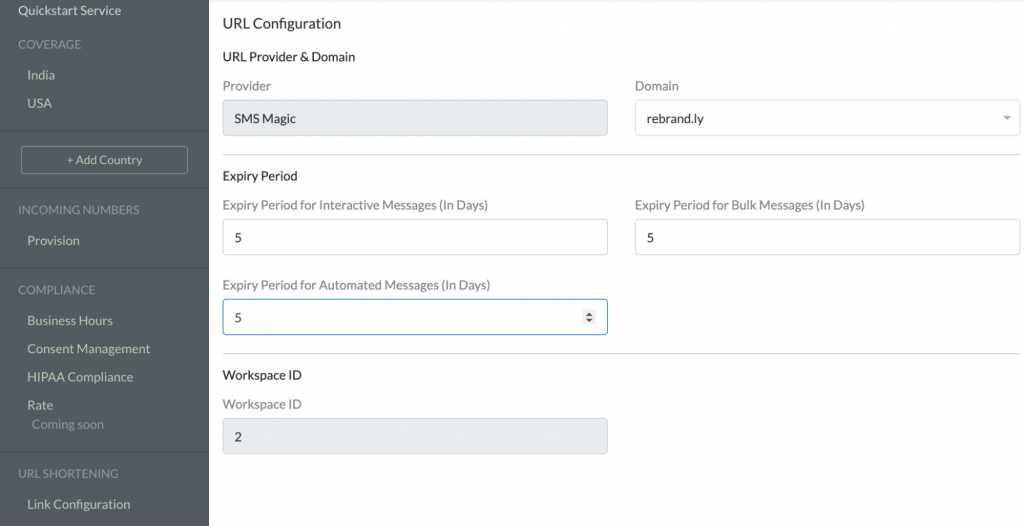
Follow the steps below to configure the URL Shortening Settings:
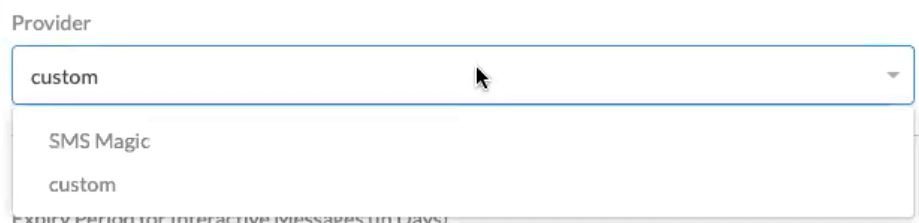
Select a ‘Provider’ from the drop-down list:
Select a ‘Domain’ from the drop-down list:

The expiry period for the shortened links needs to be set in the setting page for respective features: Interactive Messages’, ‘Bulk Messages’, and ‘Automated Messages’.
Notes:
1. To use the URL Shortening and Tracking feature, it must be first enabled for your account
2. The Workspace ID is a predefined field
