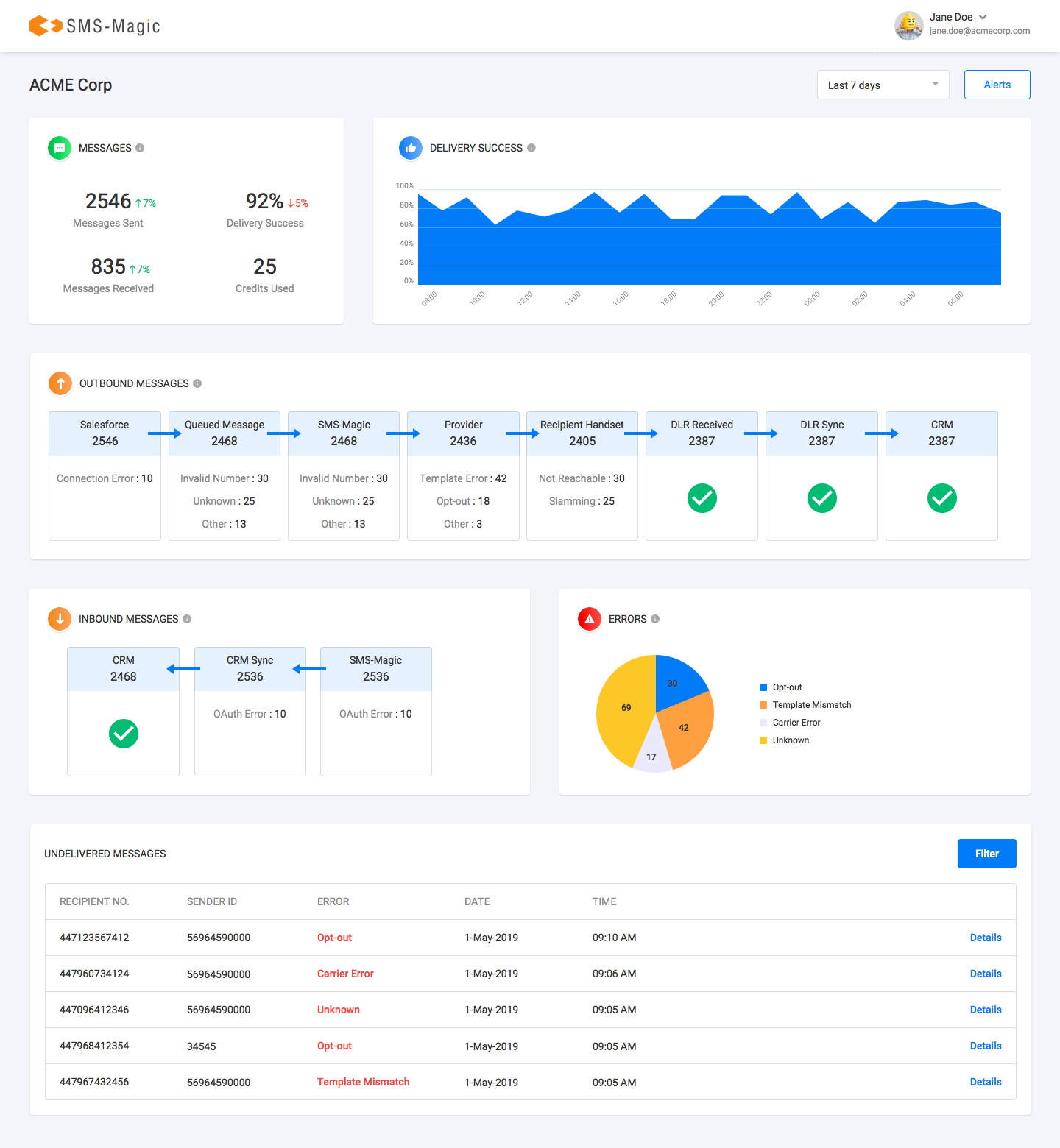
To evaluate the success of your messages:
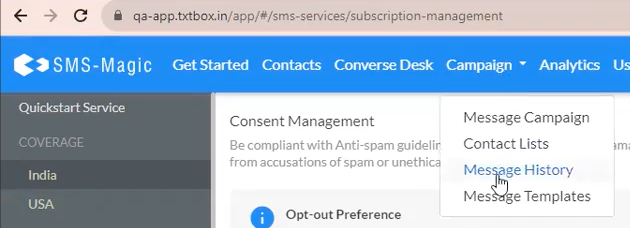
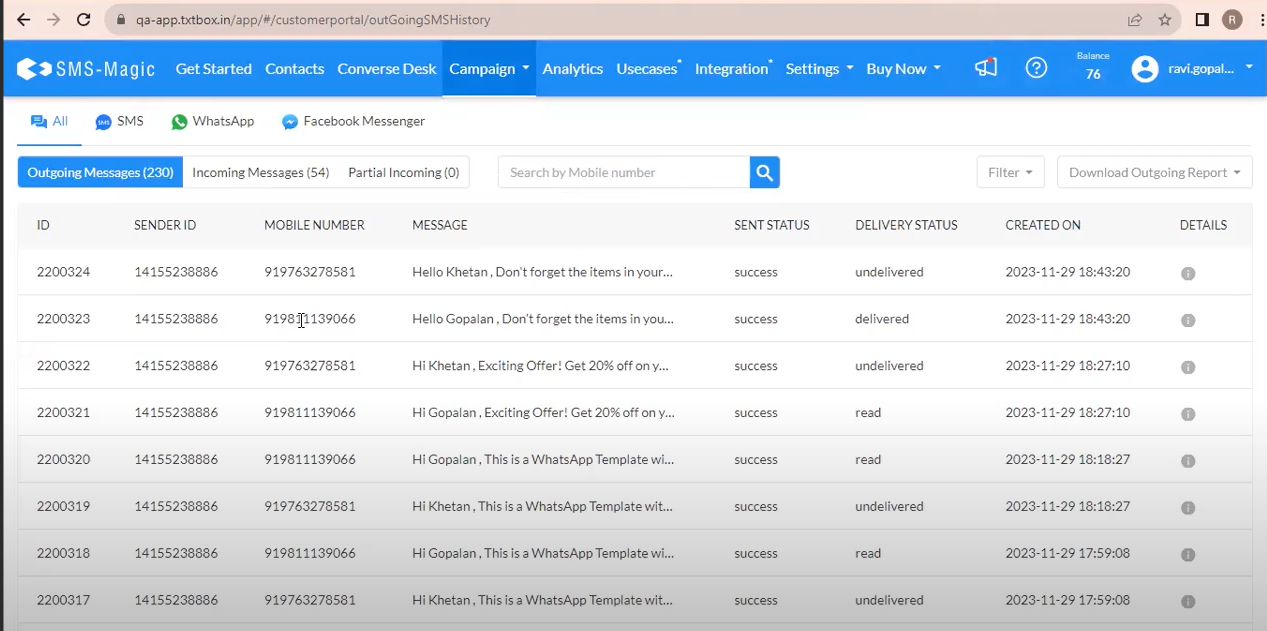
Access message history via the Campaign > Message History tab to review a summary of sent messages and inbound replies.
For ease of access, outbound and inbound messages can be viewed directly within the SFMC App under a packaged shared data extension named “SMS-Magic Message History”.
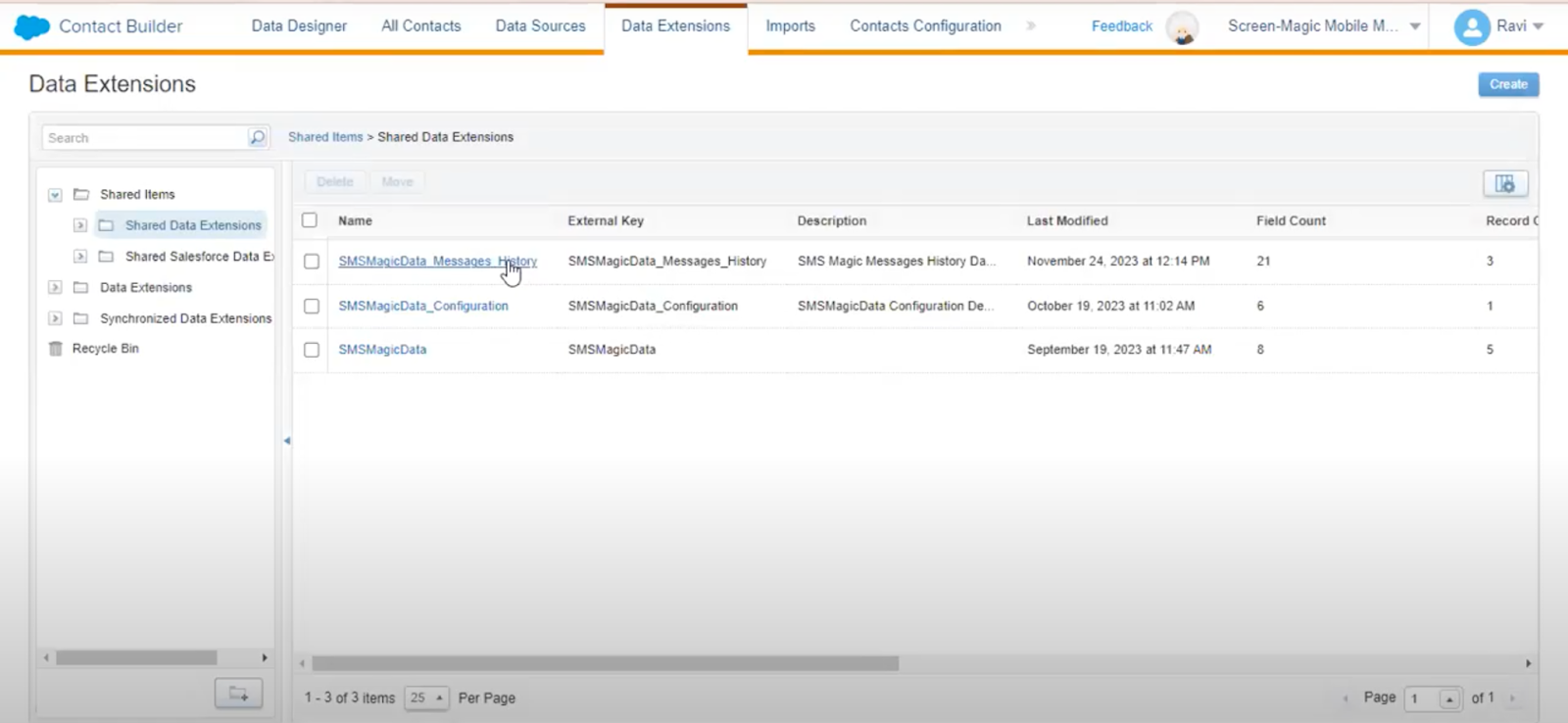
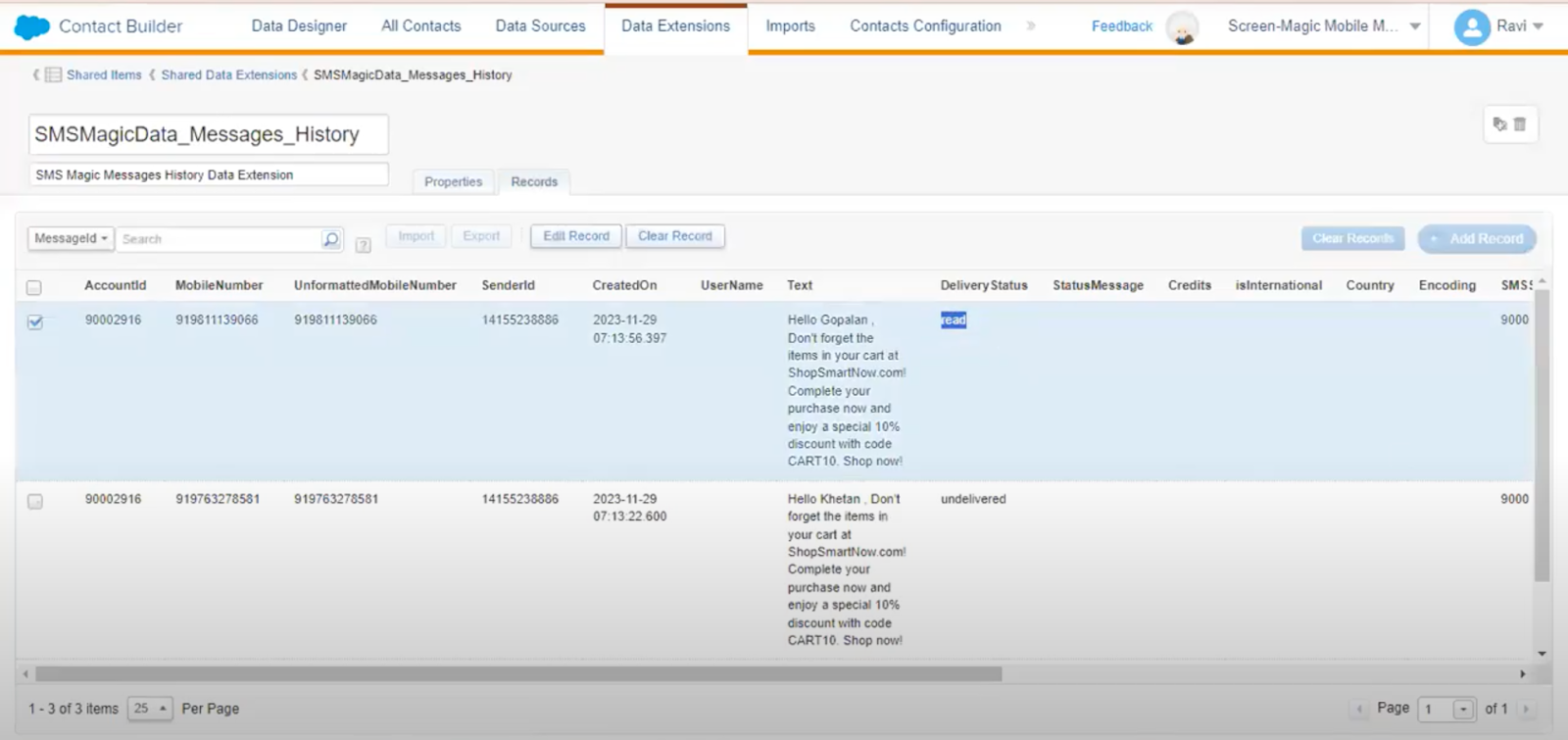
Below is the description for each field in the Message History data extension of the SFMC integration:
Field Name | Description |
|---|---|
AccountId | Identifier for the SMS-Magic account used for messaging. |
MobileNumber | The recipient's mobile phone number with standard formatting. |
UnformattedMobileNumber | The recipient's mobile phone number without any formatting. |
SenderId | The phone number or identifier used to send the message. |
CreatedOn | Date and time when the message was created or sent. |
UserName | The username of the individual who initiated the messaging journey. |
Text | The actual text content of the sent message. |
DeliveryStatus | Status indicating if the message was delivered, read, undelivered, or left blank. |
StatusMessage | Descriptive details of success or error information for message delivery. |
Credits | The number of messaging credits consumed for the message. |
isInternational | Indicates whether the message was sent to an international number. |
Country | The country of the recipient's mobile number. |
Encoding | Type of encoding used for the message, e.g., plain text or Unicode. |
SMSSource | The source from which the SMS was sent within the system. |
PushStatus | Indicates success ('True') or error in syncing the message with SFMC. |
PushResponse | Details of any errors encountered during syncing with SFMC. |
CallType | Specifies whether the message was part of an inbound or outbound communication. |
MessageId | A unique identifier assigned to each message. |
SendStatus | Status indicating the progress or result of the send operation. |
JourneyId | Identifier for the specific journey within SFMC associated with the message. |
JourneyName | The name of the SFMC journey associated with the message. |
This table helps understand the nature of data logged for each message, facilitating better tracking and analysis of messaging activities within the SFMC integration.
Message Delivery Analytics in SMS-Magic:
Analyze messaging data using the Message Delivery Analytics dashboard for actionable insights.
To view messaging analytics, first ensure that you are in the Analytics section of SMS-Magic. Select Analytics from the top navigation bar.
The dashboard prominently displays messaging data for the selected time period, which can be adjusted using the time period dropdown, typically set to the last 24 hours by default.