
Step 1: Go to CRM Settings>> Developer Space >> Function >> New function
Give Function name, Display name , Description and category as Automation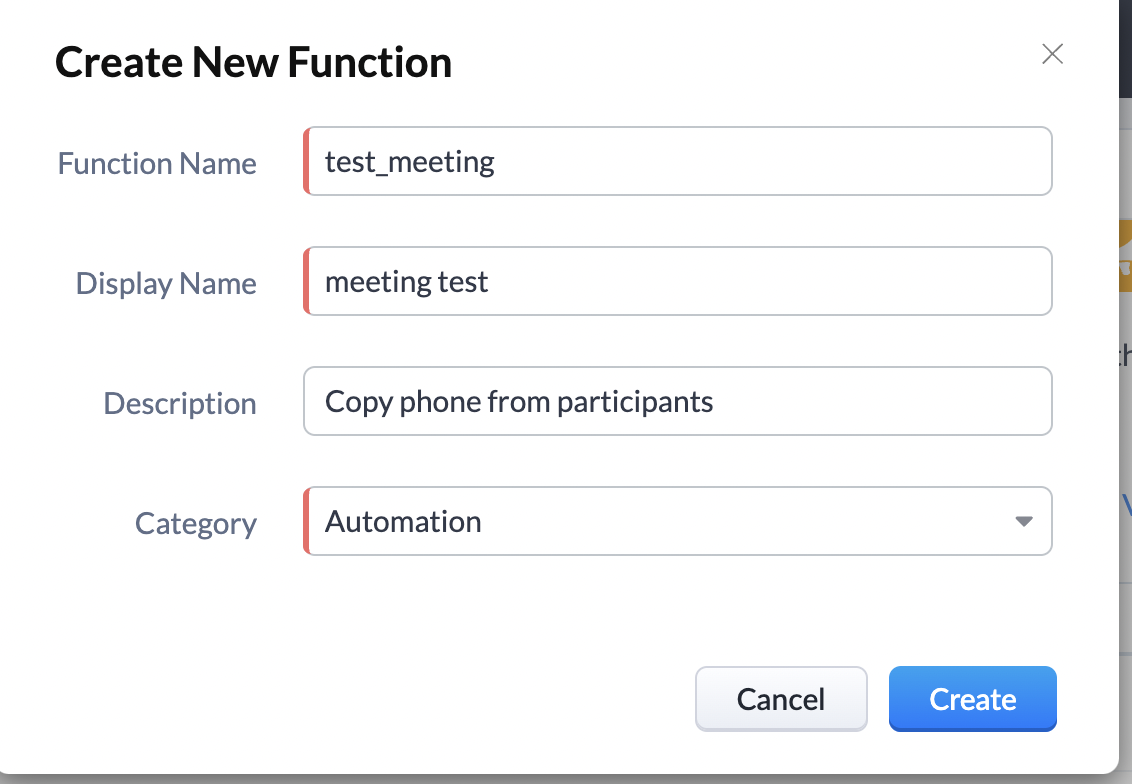
Then click on create ,
In the next window of function editor click on Edit Arguments
Write in Function arguments as meetingId and type as int ,
Then click on Save as shown in screenshot below.
Step 2: Now,
Need to write a custom function to copy the mobile field from the participant phone field
Copy the below function and paste it into the function editor space
meetingRecord = zoho.crm.getRecordById('Events',meetingId);
participants = meetingRecord.get('Participants');
for each participant in participants
{
participantType = participant.get('type');
info participantType;
recordModule = null;
if(participantType == 'contact')
{
recordModule = 'Contacts';
}
else if(participantType == 'lead')
{
recordModule = 'Leads';
}
else if(participantType == 'deal')
{
recordModule = 'Deals';
}
else
{
info 'Participant is neither contact nor lead';
}
info recordModule;
if(!isBlank(recordModule))
{
info participant.get('participant');
record = zoho.crm.getRecordById(recordModule,participant.get('participant').toLong());
info record.get('Phone');
jsonPayload = "{\"userPayload\": {\"type\": \"api\",\"userId\": \"224342\",\"apiKey\": \"51195f2232f747d827affaf54fafa79d\"},\"messageDetails\": [{\"messageId\": \"97e8d7fb-f6c3-4f24-a0a9-90e59d1c6326\",\"recipient\": [{\"channelType\": \"sms\",\"phone\": \"" + record.get('Phone') + "\"}],\"sender\": {\"channelType\": \"sms\",\"phone\": \"18339472278\"},\"lookupObjects\": [{\"referenceType\": \"" + recordModule + "\",\"referenceId\": \"" + participant.get('participant') + "\"}],\"source\": \"3000\",\"message\": {\"type\": \"text\",\"content\": {\"messageText\": \"This is reminder text \"}}}]}";
response = invokeurl
[
url :"https://api.sms-magic.com/api/v2/message/send"
type :POST
parameters:jsonPayload
content-type:"application/json"
];
}
}
Step 3: Now replace the userId, apiKey, messageId, and phone from the sms magic customer portal>>Get started >>Automation ,
Then click on Genarate JSON button then enter Module: meetings, select senderid & phone .
Enter any messge and click on Generate JSON button. A JSON code will appear , copy userId, apiKey, messageId and phone field from here.
Step 4: Than click on Save button.
Function will be saved.
Step 5: Create a workflow rule for meeting module
Give Module: Meetings, Rule_name and description .
Click on next.
Then give the condition
When do you want to execute this rule?
Select >> On a record action
And >> Create or Edit then
click on Next
In condition 1
Which meetings would you like to apply the rule to?
Select >> All Meetings
Click Next
From Instant Actions
Select Function which we created for meeting module ,
Than click on Save.
Now create any meeting by adding participants and a phone field will appear.
