
The option to expire short links is available for data clean-up only. Expired short links become a dead link. Admins should check with businesses and expire only the short links that are not in use for some time. Admins should ensure to remove short links from the templates before expiring them.
Follow the steps below to expire Short Links:
Navigate to the Shortened Links tab
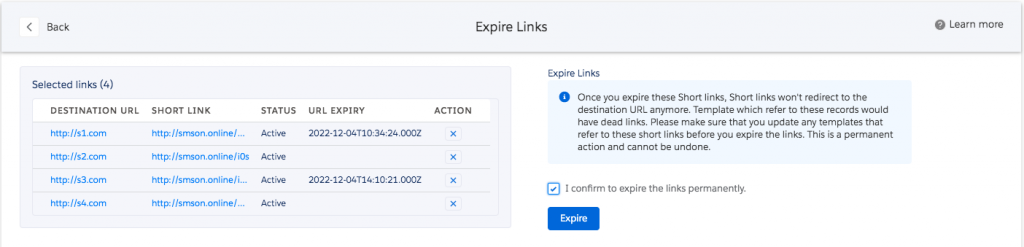
Select short links to expire
Click Bulk Link Delete Expire
Read the warning
Click the checkbox ‘I Confirm to expire the links permanently’
Click Expire to permanently expire the links
